

Navigating canvas print sizes involves considering intended use – from online display to large-scale art. Aim for at least 300 DPI, prioritizing larger initial sizes for flexibility.
What is a Canvas Print?
A canvas print transforms your digital images into stunning, gallery-worthy artwork. Unlike traditional paper prints, a canvas print utilizes a high-quality image printed directly onto canvas fabric, then stretched and mounted onto a wooden frame. This process creates a textured, artistic look that mimics original paintings.
Canvas prints are incredibly versatile, suitable for photographs, paintings, and graphic designs. They offer a unique aesthetic, bridging the gap between digital art and physical display. The material itself lends a sophisticated touch, making them a popular choice for home and office décor. Choosing the right size is crucial for impact!
Why Choose Canvas Prints?
Canvas prints offer a distinctive aesthetic that paper prints simply can’t match. Their textured surface adds depth and dimension, elevating your images to resemble original artwork. They’re remarkably durable and resistant to fading, ensuring lasting beauty.
Furthermore, canvas prints eliminate the need for costly and often cumbersome framing. Ready to hang, they simplify decorating and offer a clean, modern look. Whether showcasing family photos or artistic creations, canvas prints provide a professional finish. Considering the final application – fine art or commercial work – guides size selection for optimal impact and quality.
Standard Canvas Print Sizes
Common canvas dimensions include 8×10, 12×16, 16×20, 20×24, and 24×36 inches, aligning with typical frame sizes for versatile display options.
8×10 Inches ⸺ Small & Versatile
The 8×10 inch canvas print is an incredibly popular choice due to its affordability and adaptability. It’s perfectly sized for displaying single portraits, smaller landscapes, or as part of a larger gallery wall arrangement. This size works exceptionally well for showcasing detail without overwhelming a space.
Because of its commonality, finding frames for an 8×10 print is easy and cost-effective. It’s also a great option for gifting, offering a personalized touch without a significant investment. For digital artists, ensuring your initial artwork is at least 300 DPI at this size guarantees a crisp, high-quality final product, even if you later decide to scale it up slightly.
12×16 Inches — Popular for Portraits
The 12×16 inch canvas print strikes an excellent balance between visibility and space-consciousness, making it a frequently chosen size, particularly for portraiture. It provides ample room to capture facial features and expressions with clarity, resulting in a striking and impactful display. This size also lends itself well to family photos or pet portraits.
Considering a resolution of at least 300 DPI is crucial for this size, ensuring sharp details and preventing pixelation. It’s also a versatile option for landscapes or abstract art, offering a noticeable presence without dominating a room. Social media content often benefits from this square-friendly aspect ratio, starting at 1200px x 1200px.
16×20 Inches ⸺ A Common Choice
The 16×20 inch canvas print represents a sweet spot for many, offering a substantial visual impact without overwhelming a space. It’s a highly versatile size, suitable for a wide range of imagery – from vibrant landscapes and detailed artwork to cherished family photographs. This size is frequently selected due to its compatibility with standard frame sizes, simplifying the presentation process.
Maintaining a 300 DPI resolution is paramount for optimal print quality, ensuring crisp details and vibrant colors. For digital artists, working at a larger initial size allows for greater flexibility and detail when zooming in for intricate work. It’s a popular choice for both personal and commercial applications.
20×24 Inches — Statement Piece
A 20×24 inch canvas print confidently commands attention, functioning as a true statement piece within any room. This larger format is ideal for showcasing artwork with intricate details or photographs possessing significant emotional weight. It’s a size that truly allows an image to breathe, creating a focal point that draws the eye.
Remember, maintaining a high resolution – at least 300 DPI – is crucial for this size to prevent pixelation and ensure a professional finish. Starting with a larger digital canvas provides the freedom to add fine details and make adjustments without compromising quality. It’s perfect for impactful displays.
24×36 Inches ⸺ Large & Impactful
The 24×36 inch canvas print delivers a substantial and impactful visual presence, making it a superb choice for larger walls and open spaces. This size is particularly effective for landscapes, panoramic photographs, or artwork intended to create a dramatic effect. It’s a size that demands attention and establishes a strong focal point within a room’s décor.
Crucially, ensure your original image boasts a high resolution – a minimum of 300 DPI – to avoid any loss of detail when scaled up. Starting with a larger digital canvas allows for detailed work and prevents pixelation. This size truly showcases the artwork’s vibrancy.
Canvas Print Sizes for Different Spaces
Selecting the right canvas size depends on the room’s dimensions and desired aesthetic; consider scale and visual impact for each area.
Living Room Canvas Sizes
For a living room, impactful statement pieces often work best. A 24×36 inch canvas can become a focal point above a sofa, drawing the eye and establishing a strong visual anchor. Larger spaces might accommodate even bigger sizes, like 36×48 or 48×72 inches, creating a gallery-like feel.
Consider a multi-panel arrangement – a 2- or 3-panel canvas – to fill a larger wall without overwhelming the space. For smaller living rooms, a 16×20 or 20×24 inch canvas offers a balanced presence. Remember to relate the canvas size to the furniture and overall room proportions, ensuring a harmonious and visually pleasing arrangement. Don’t be afraid to experiment with different layouts!
Bedroom Canvas Sizes
Bedrooms generally benefit from calming and serene artwork. A 12×16 or 16×20 inch canvas above the bed serves as a lovely focal point without being overly dominant. For larger bedrooms, consider a 20×24 or even a 24×36 inch piece to fill the space effectively.
Smaller canvases, like 8×10 inches, can be grouped together to create a gallery wall effect, adding personality and visual interest. Think about the mood you want to create – softer colors and landscapes work well in bedrooms. Ensure the canvas size complements the bed’s headboard and the overall room décor for a cohesive look.
Kitchen Canvas Sizes
Kitchens often suit vibrant and cheerful artwork. A 16×20 inch canvas can brighten up a wall space without feeling overwhelming. Consider groupings of smaller 8×10 or 12×16 inch canvases for a more dynamic display above a breakfast nook or open shelving.
Avoid overly large canvases in smaller kitchens, as they can make the space feel cramped. Prints featuring food, fruits, or colorful patterns work particularly well. Ensure the artwork is protected from kitchen moisture and grease with a suitable varnish or protective coating to maintain its vibrancy over time.
Office Canvas Sizes
Office spaces benefit from artwork that inspires creativity or promotes a calming atmosphere. A 20×24 inch canvas can make a statement in a larger office, while 12×16 or 16×20 inch prints are ideal for smaller workspaces or cubicles.
Abstract art, landscapes, or motivational quotes are popular choices. Consider a multi-panel canvas (2 or 3 panels) to create a focal point. Ensure the artwork complements the office’s décor and doesn’t distract from productivity. Professionalism is key; avoid overly bold or jarring imagery.
Multi-Panel Canvas Prints (Split Canvas)
Split canvases offer dynamic visual impact, utilizing 2, 3, or 4 panels to extend an image or create a unique artistic arrangement for walls.
2-Panel Canvas Layouts
Two-panel canvas prints are a fantastic starting point for split canvas designs, offering a balanced aesthetic without overwhelming a space. These layouts work exceptionally well with images that have a strong central focus or a natural division. Consider mirroring images across the panels for a cohesive look, or extending a single image for a panoramic effect.
Common configurations include two equally sized canvases placed side-by-side, or a larger primary panel paired with a smaller, complementary one. Think about the spacing between the panels – a consistent gap creates a cleaner presentation. This setup is versatile, suitable for both portrait and landscape orientations, and easily adaptable to various room sizes and décor styles. It’s a subtle yet impactful way to elevate your wall art.
3-Panel Canvas Layouts
Three-panel canvas prints introduce dynamic visual storytelling, offering greater creative possibilities than a two-panel arrangement. This format excels at showcasing expansive landscapes, detailed portraits, or abstract art that benefits from a wider presentation. A popular approach involves dividing a single image into three equal sections, creating a seamless, panoramic view when hung together.
Alternatively, utilize three distinct yet thematically linked images for a more eclectic feel. Consider staggered arrangements or varying canvas sizes within the set to add visual interest. Maintaining consistent spacing between panels is crucial for a polished look. This layout is particularly effective for larger walls, commanding attention and becoming a focal point within the room.
4-Panel Canvas Layouts
Four-panel canvas prints represent a sophisticated and versatile option for displaying artwork, offering a compelling balance between visual impact and spatial considerations. This configuration allows for diverse arrangements – a quadriptych featuring a single image divided into four parts, or a curated collection of four complementary images. The possibilities are extensive, lending themselves well to both modern and traditional aesthetics.
Experiment with symmetrical or asymmetrical layouts to achieve the desired effect. A grid arrangement provides a clean, structured look, while a more organic arrangement can introduce dynamism. Careful attention to spacing and alignment is vital for a cohesive presentation. This format is ideal for larger walls, creating a gallery-like atmosphere and showcasing a variety of artistic styles.
Understanding Resolution & DPI for Canvas Prints
Resolution and DPI are crucial for print quality; 300 DPI is standard, ensuring detail. Photoshop allows DPI adjustments, but start with a high-resolution image.
What is DPI (Dots Per Inch)?
DPI, or Dots Per Inch, is a fundamental measurement in the world of printing, defining the number of individual dots of ink that are packed into each inch of a printed image. Essentially, it dictates the level of detail and sharpness a print will exhibit. A higher DPI means more dots, resulting in a finer, more detailed image, while a lower DPI translates to fewer dots and potentially a pixelated or blurry appearance.
Think of it like building with LEGOs – more LEGOs per square inch create a smoother, more defined structure. For canvas prints, DPI is critical because it directly impacts how well your artwork translates from the digital realm to a tangible piece. While Photoshop allows you to increase DPI, it’s important to remember that you can’t magically add detail that wasn’t there originally; starting with a high-resolution image is always best.
Recommended DPI for Canvas Prints (300 DPI)
A DPI of 300 is widely considered the gold standard for canvas prints, ensuring a high-quality, detailed reproduction of your artwork. While some professionals suggest even higher resolutions, 300 DPI generally provides excellent results for most images and print sizes. This resolution offers a balance between file size and print quality, preventing pixelation and maintaining sharpness even when viewed up close.
However, it’s crucial to understand that simply increasing the DPI in Photoshop doesn’t magically improve a low-resolution image. The original image must contain sufficient data to support a 300 DPI print at your desired size. Always aim to start with an image that already meets or exceeds this requirement, allowing for flexibility and optimal print quality.
Scaling Images, Going Bigger vs. Smaller
When preparing images for canvas, remember a crucial rule: it’s far easier to scale down than to scale up. Starting with a larger, higher-resolution image provides flexibility. You can always reduce the size for different applications without significant quality loss. Attempting to enlarge a low-resolution image results in pixelation and a blurry, unsatisfactory print.
Consider your largest potential print size when initially creating or sourcing your artwork. If you anticipate needing a 24×36 inch canvas, ensure your image is prepared at that size (or larger) and at least 300 DPI. This avoids the need for problematic upscaling, preserving detail and ensuring a professional-looking final product.

Color Mode for Canvas Prints
For optimal results, utilize CMYK color mode for canvas printing, as RGB is designed for screens. Color correction is vital, considering paper properties.
RGB vs. CMYK Color Modes
Understanding color modes is crucial for achieving accurate canvas prints. RGB (Red, Green, Blue) is the standard for digital displays – screens, phones, and tablets. It utilizes additive color mixing, meaning colors are created by adding light. CMYK (Cyan, Magenta, Yellow, Key/Black), however, is designed for print.
It employs subtractive color mixing, using inks to absorb light and create colors on a surface. Converting from RGB to CMYK can sometimes result in color shifts, as the color gamuts differ. Therefore, working in CMYK from the start ensures the printed result closely matches your intended design. Always consider the final output medium when selecting your color mode.
Color Correction for Print
Accurate color reproduction requires careful correction before printing; Colors appear differently on screens versus printed materials due to variations in color modes (RGB vs. CMYK) and the printing process itself. Factors like paper color, weight, and texture significantly impact the final result.
Photoshop is an ideal tool for color correction, allowing adjustments to brightness, contrast, and color balance. Proofing – reviewing a test print – is essential to identify and address any discrepancies. Professional print providers, like Finerworks.com, often offer color management services to ensure optimal results, minimizing unwanted shifts and maximizing vibrancy.
Custom Canvas Print Sizes
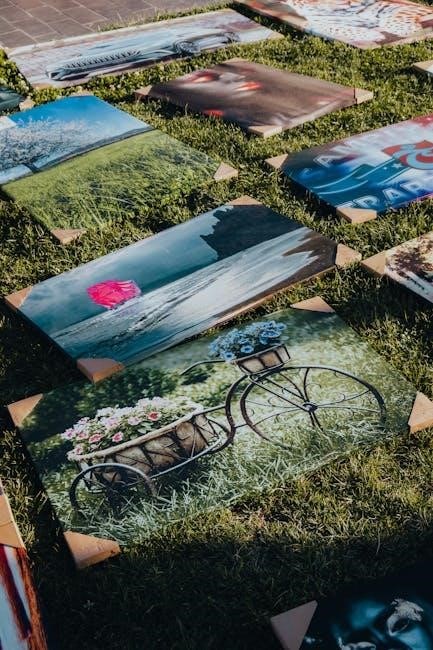
Bespoke canvas dimensions offer unique artistic freedom, perfectly fitting your space and vision. Print providers can accommodate specific requests for tailored artwork.
Benefits of Custom Sizes
Unleashing Creative Control: Opting for custom canvas print sizes provides unparalleled creative freedom. Standard sizes can sometimes dictate composition, but a tailored approach allows your artwork to perfectly match your vision and intended space. This is particularly valuable when dealing with unique aspect ratios or specific wall dimensions.
Perfect Fit for Your Space: Avoid awkward gaps or the need to crop your image to fit a pre-defined size. Custom sizes ensure a seamless integration with your décor, creating a polished and professional look. It’s about achieving visual harmony and maximizing the impact of your art.
Unique and Personalized Art: Stand out from the crowd with a truly one-of-a-kind piece. Custom sizes elevate your artwork, demonstrating attention to detail and a commitment to personalized expression.
Working with Print Providers for Custom Sizes
Collaboration is Key: When requesting custom canvas sizes, clear communication with your print provider is crucial. Share precise dimensions and desired aspect ratio to avoid misunderstandings. Discuss file requirements, including resolution (at least 300 DPI) and color mode (CMYK for print).
File Preparation & Proofing: Ensure your image is scaled appropriately before submitting it. Providers like Finerworks;com offer guidance and often provide proofs for approval. Carefully review the proof to confirm color accuracy and overall composition.
Understanding Limitations: Be aware that extremely large or unusually shaped canvases may have limitations or incur additional costs. Discuss these factors upfront to manage expectations and ensure a smooth printing process.

Aspect Ratio Considerations
Maintaining proportions is vital; cropping may be necessary for different sizes. Prioritize preserving the original image’s integrity during resizing and layout adjustments.
Maintaining Image Proportions
Preserving the original aspect ratio of your image is crucial for a visually appealing canvas print. Distorting an image to fit a specific size will result in a stretched or squashed appearance, detracting from its quality. When selecting a canvas size, consider the original dimensions of your artwork.
If the desired canvas size doesn’t perfectly match the image’s aspect ratio, you’ll need to either crop the image or add borders. Cropping involves removing portions of the image to achieve the correct proportions, while borders add empty space around the image to maintain its original shape. Carefully evaluate which approach best suits your artwork and aesthetic preferences. Always prioritize maintaining the integrity of the key elements within your image.
Cropping Images for Different Sizes
Strategic cropping is often necessary when your image’s aspect ratio doesn’t align with standard canvas sizes. Before cropping, carefully assess the composition and identify essential elements. Avoid cropping out key features or areas of interest, as this can significantly impact the artwork’s impact.
Many photo editing programs offer cropping tools with guidelines to help maintain balance and symmetry. Consider using the “rule of thirds” to guide your cropping decisions. Experiment with different crop ratios to find the most visually pleasing result. Remember that cropping is a destructive process, so it’s always best to work on a copy of your original image to preserve the original file.

Print Materials & Canvas Weight
Canvas options include poly-cotton and cotton blends, with weight impacting print quality; heavier canvases generally offer superior texture and durability for artwork.
Poly-Cotton Canvas
Poly-cotton canvas represents a popular and versatile choice for canvas prints, blending the desirable qualities of both polyester and cotton. This combination typically results in a canvas that’s more affordable than 100% cotton, while still offering excellent image reproduction. The polyester component enhances the canvas’s strength and resistance to stretching, minimizing warping over time.
Furthermore, poly-cotton canvases exhibit good color vibrancy and detail, making them suitable for a wide range of artwork. They are generally easier to handle and maintain than pure cotton options, resisting tears and abrasions effectively. This blend provides a balanced solution for those seeking quality and durability without a premium price point.
Cotton Canvas
Cotton canvas is a traditional and highly regarded material for fine art reproduction, prized for its luxurious texture and exceptional color absorption. Made from 100% cotton fibers, this canvas delivers a classic aesthetic and a premium feel, often preferred by artists and collectors seeking archival quality. It provides a natural, slightly textured surface that enhances the depth and richness of printed images.
However, cotton canvas tends to be more expensive than poly-cotton blends and requires careful stretching to prevent sagging or warping. Despite this, its superior ability to showcase intricate details and vibrant colors makes it a top choice for high-end canvas prints intended for display and longevity.
Canvas Weight & Print Quality
Canvas weight, measured in ounces (oz) per square yard, significantly impacts print quality and durability. Heavier canvases, typically 300-400gsm (grams per square meter), offer a more substantial feel and superior tension, minimizing stretching or warping over time. They also generally accept ink better, resulting in richer, more vibrant colors and sharper details.
Lighter weight canvases are more affordable but may require additional support and are prone to showing imperfections. Choosing a higher weight canvas ensures a professional finish and a longer-lasting print, especially for larger sizes. Consider the canvas weight alongside the material (cotton or poly-cotton) for optimal results.
Finding Reliable Canvas Print Providers
Selecting a provider like Finerworks.com is crucial; they ensure accurate color reproduction and resolution handling, delivering high-quality canvas prints consistently.
Finerworks.com as a Recommended Provider
Finerworks.com consistently receives praise for its exceptional canvas printing services. They excel in handling diverse print applications, ensuring vibrant colors and sharp details in every piece. A key benefit is their commitment to accurate color printing, addressing the potential discrepancies between screen (RGB) and print (CMYK) outputs.
Furthermore, Finerworks.com demonstrates expertise in resolution management, guaranteeing your images are printed at optimal quality, even when working with varying DPI levels. Their services extend beyond simple printing, offering guidance and support to ensure your artwork translates beautifully onto canvas. They are known for reasonable pricing and a dedication to customer satisfaction, making them a reliable choice for both amateur artists and professional graphic designers.
Factors to Consider When Choosing a Provider
Selecting the right canvas print provider requires careful evaluation. Prioritize providers who demonstrate expertise in color accuracy, understanding the nuances of RGB versus CMYK color modes and offering color correction services. Resolution handling is crucial; ensure they accept and optimize images at 300 DPI or higher.
Consider the range of canvas materials offered – poly-cotton and cotton canvases each have unique qualities. Look for transparent pricing and clear information about shipping costs. Positive customer reviews and a responsive customer support team are also vital indicators of a reliable provider. Finally, assess their ability to handle custom sizes and complex multi-panel layouts effectively.